
Latest version 1.0.0.0


With SSN such operations are always within reach:
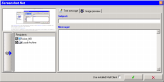
- Make and send. Basic tool to capture active window, choose recipient(s) and send picture(s). All with one button (if you’ve set up all the options)
- Copy to clipboard. Allows user to capture and copy image to clipboard
- Capture with mouse. Handy tool to get precise capture of a specified area. It saves you from cutting out a needed piece from the image
- Capture objects. Specific instrument to capture a window object
- Add to Local Archive. Automatically places captured image(s) to Local Archive – special folder you can easily manage
- Add to Image Queue. A tool that allows you to collect images in a queue. This operation usually follows by another one – sending, copying etc. that applies to all the images in the current queue
Additional services:
- Image Viewer. Built-in viewer that contains user folders and Local Archive folder
- Favorites. Special file organizer. You can manage your own folders here
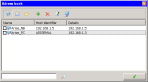
- Address book. You can store lists of e-mail addresses, hosts and folders here. Import is also available
- Log viewer. All the records on operations made between hosts are stored in this Log viewer
- Work with scanner
- Picture editing. You can edit images using Microsoft Paint without quitting SSN. Editing is available from Image Viewer (you can also specify any other program to view and edit images) and recipient dialog.
SSN provides flexible compression mechanism that allows to:
- Save screenshots with good quality
- Redeem users from any problems connected with pictures quality
- Optimize file size